Stack
Stack removes the noise and shows only the next task that matters.
Launch a task stack on your computer or on a second device such as a smartphone or tablet.
You can also add a timer to boost productivity.
Break down projects into actionable tasks, plan your days, and execute your work with Colonnes, a personal, fast, local-first task manager built for professionals.
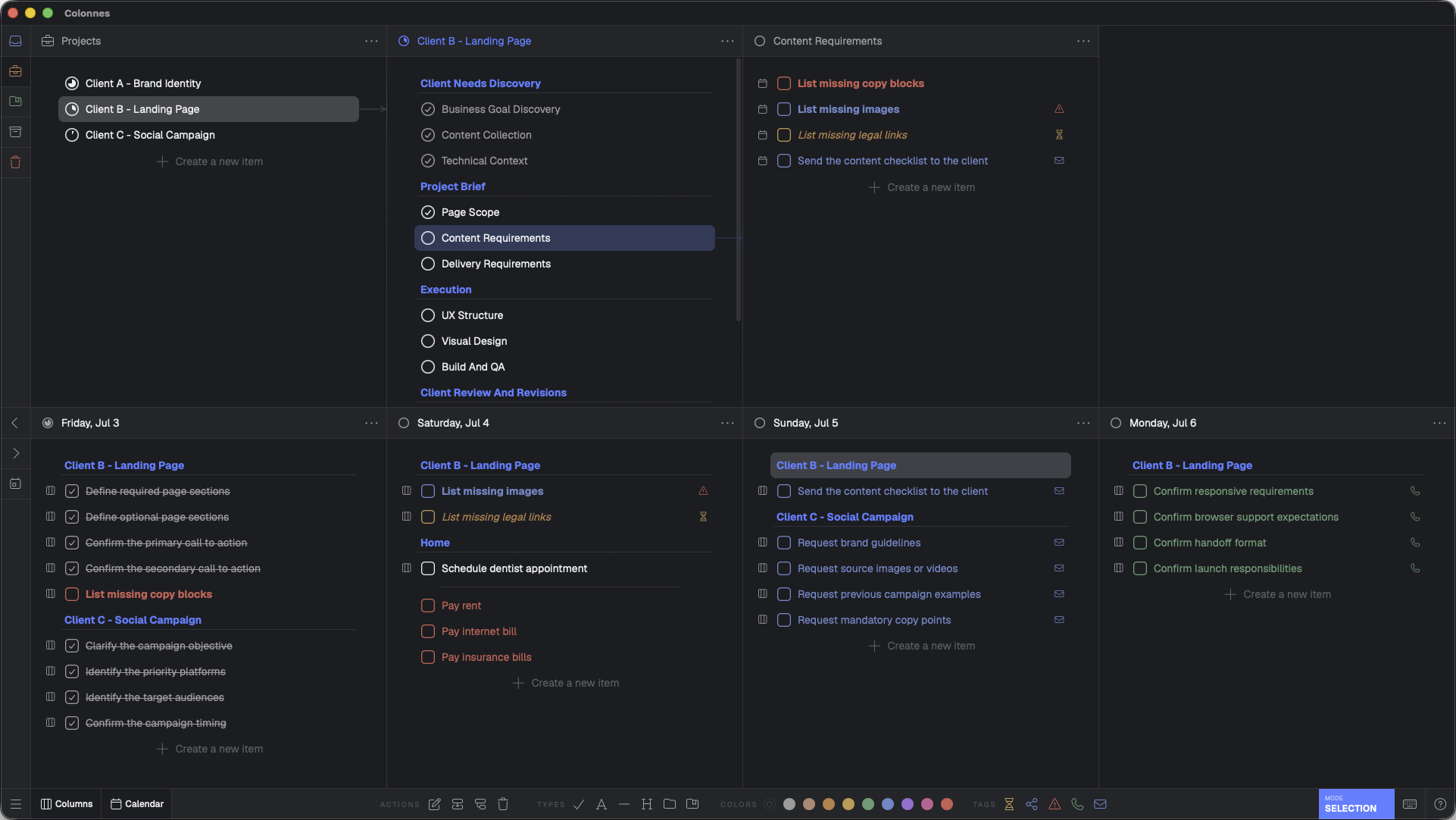
01
Forget endless lists and overwhelming tree views.
Colonnes uses Miller Columns Wikipediato help you break projects into actionable tasks, navigate deep structures effortlessly, and keep context visible at every level.
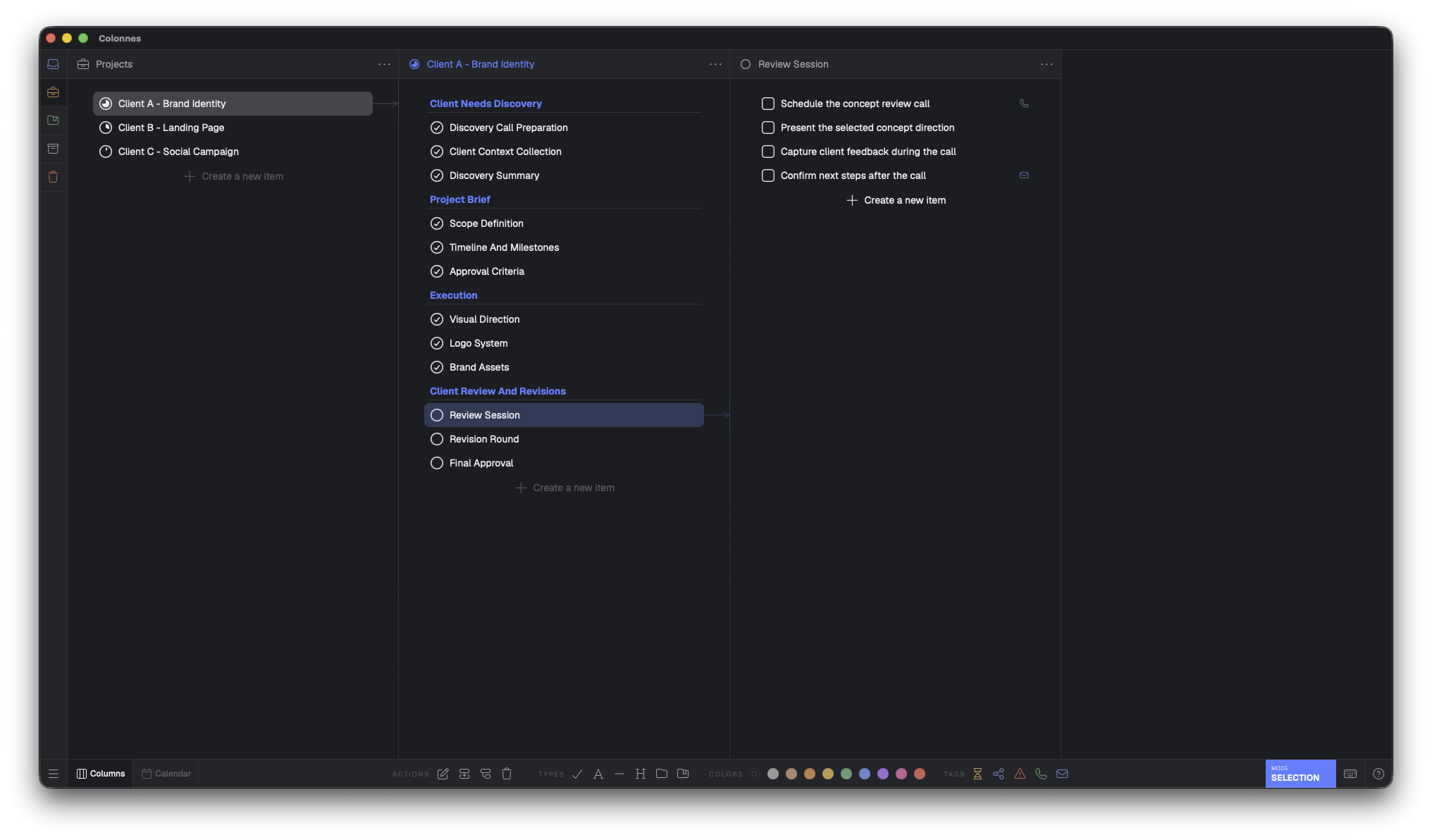
02
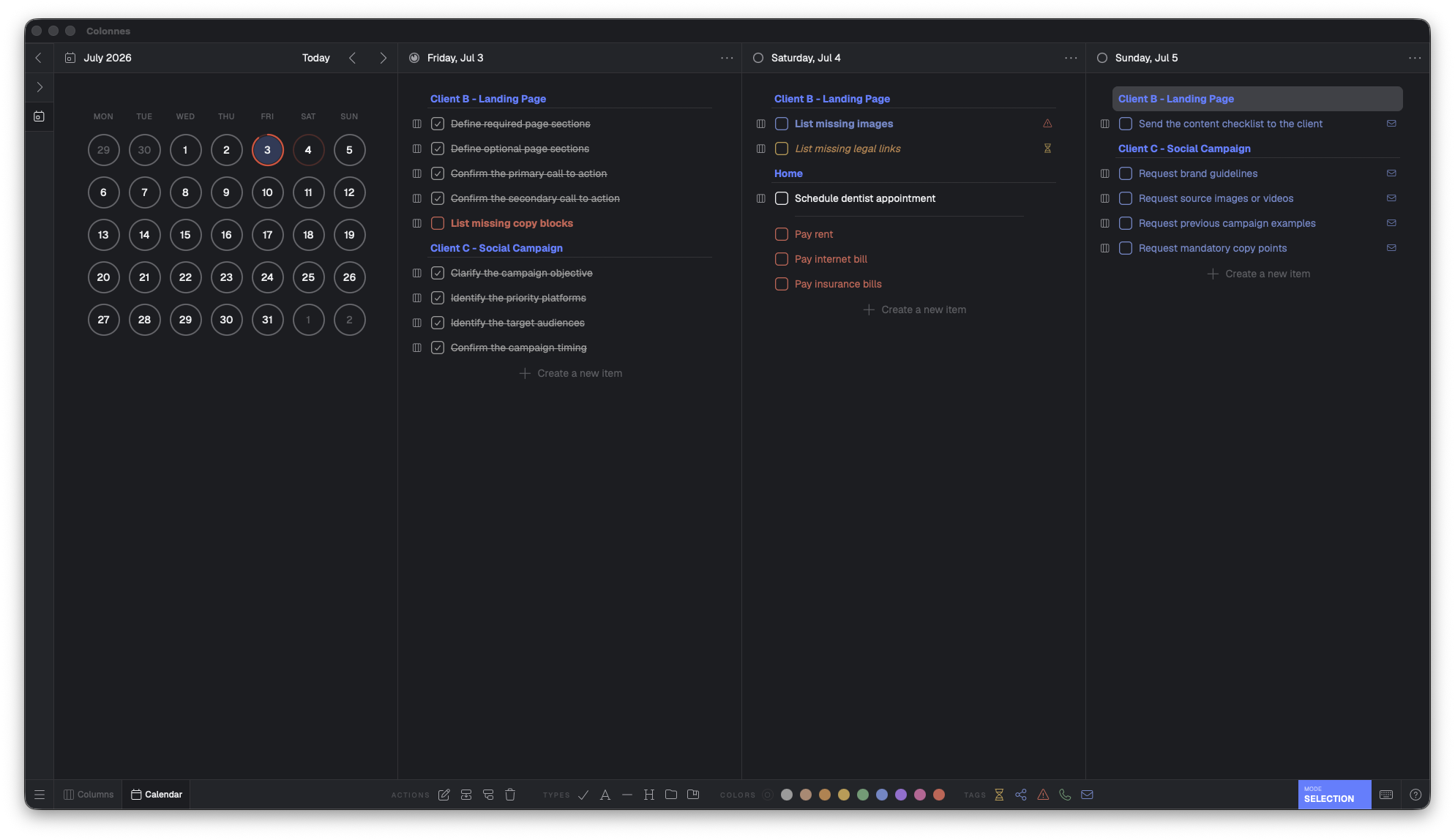
Once your tasks are organized, simply drag them into your calendar.
The same task can exist both in your project structure and in your calendar, keeping planning and execution perfectly synchronized.
03
Choose the execution method that works best for you.
Stack removes the noise and shows only the next task that matters.
Launch a task stack on your computer or on a second device such as a smartphone or tablet.
You can also add a timer to boost productivity.
Colonnes lets you print your tasks on a receipt printer, so each task becomes its own individual ticket.
This lets you track progress in real life with a growing stack of completed tickets.
You can also print your task list on a regular printer.
04
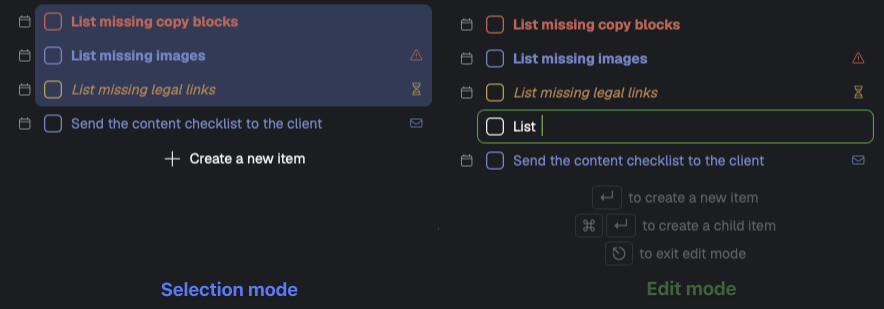
Colonnes is designed for fast work, with two distinct interaction modes.
Use Selection Mode to organize, move, or schedule your tasks with simple drag and drop.
Switch to Edit Mode when you want to write like in your text editor.
05
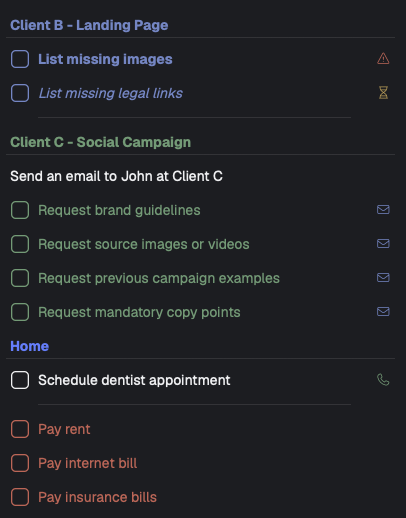
You can add headings, text, or separators to organize your tasks.
Add colors to items or tags to quickly identify tasks that belong to a category.
You can also use conditional formatting to apply a color based on rules.
06
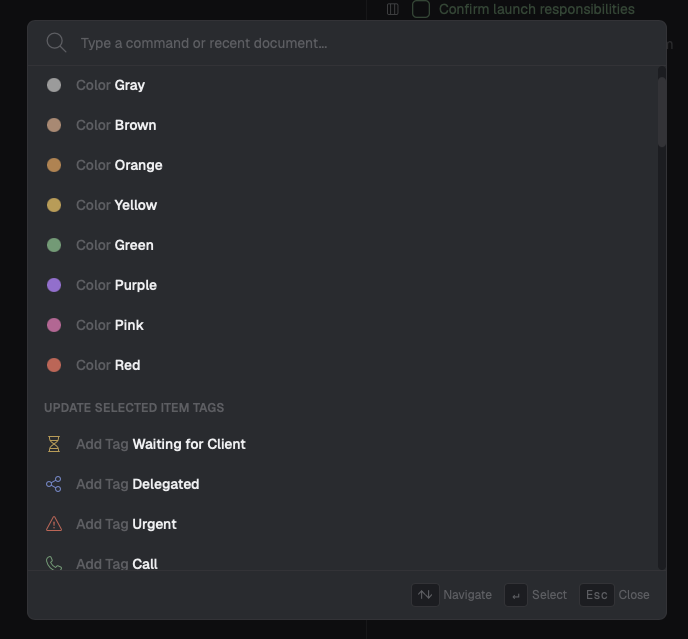
Stay in flow without reaching for the mouse, with more than 100 keyboard shortcuts.
But you do not need to remember everything. Access virtually every action from a single searchable command palette.
07
Colonnes is a local app. No cloud. Your data stays fully private.
That also makes every action feel instant, with no loading spinners and no maintenance downtime.
No cloud, no subscription. Buy the current version for life with a one-time payment and a 30-day money-back guarantee.
What platforms does the software support?
Our application runs natively on both macOS and Windows.
How many devices can I activate?
Each license allows installation on up to three devices.
Are updates included?
Yes, your purchase comes with lifetime updates through the next major version which will not arrive for several years making this an exceptionally worthwhile investment.
How do I pay?
All payments are processed securely via Polar.
Is there a money-back guarantee?
Absolutely you have 30 days from purchase to request a refund. We'll simply ask what did not meet your expectations (though you are free not to answer) after issuing the refund.
Does the software sync my data across devices?
The desktop app itself does not include built-in synchronization. However you can store its data folder in any third-party sync service such as Dropbox Google Drive or OneDrive to keep your files in sync across machines.
Will you offer a cloud-based version?
No, but we're developing a separate cloud SaaS product with built-in synchronization, mobile apps, and web access. The desktop app and the cloud service will interoperate, for example through import and export, while remaining distinct, giving you the flexibility to choose between a 100% local workflow and a cloud-enabled experience.
Will existing 1.x customers get special pricing on the cloud version?
Yes, all V1 customers who want to switch to the cloud can convert their desktop license into the cloud version. You keep your desktop license and receive access to the cloud version. The amount you paid for the desktop version will be converted into credit toward the cloud version, with a 3x multiplier applied. Think of your V1 purchase as crowdfunding a more advanced cloud-based product.